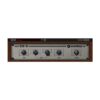
Soundtoys Sie-Q – Boutique EQ Plugin (ELECTRONIC LICENCE DOWNLOAD)
$155.00
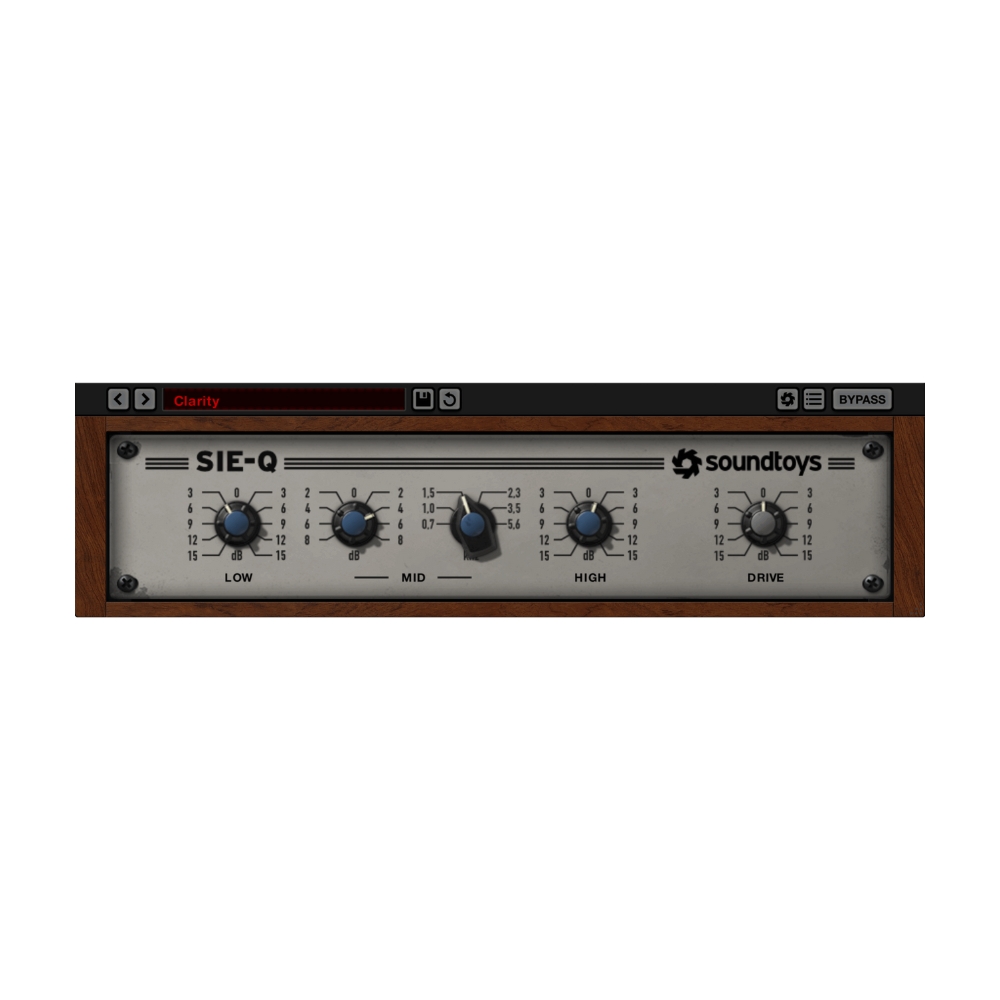
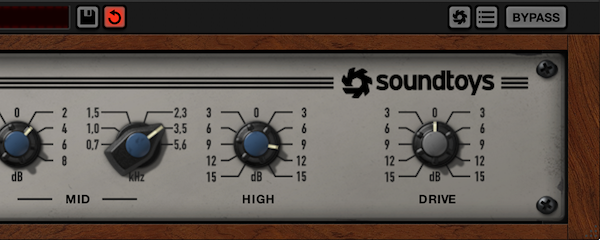
The Soundtoys Sie-Q is a boutique EQ plugin inspired by the classic Siemens W295b, delivering airy highs, smooth lows, and rich analog-style saturation. Perfect for vocals, guitars, drums, and full mixes, Sie-Q offers sweet, musical tone shaping with effortless ease. This intuitive EQ adds instant space, warmth, and character – helping you get great sound fast, without the complexity.
Note: Delivered as an ELECTRONIC LICENCE DOWNLOAD – no physical product.
Soundtoys Sie-Q – Boutique EQ Plugin (ELECTRONIC LICENCE DOWNLOAD)
OVERVIEW
The Soundtoys Sie-Q Boutique EQ Plugin brings the unmistakable colour of the Siemens W295b into your modern mix environment. Modelled with precision and paired with Soundtoys’ signature analog saturation, Sie-Q offers spacious highs, smooth lows, and a tone that is almost impossible to make sound bad. Whether you’re boosting air into vocals, warming bass instruments, or sweetening your master bus, Sie-Q makes musical EQ moves feel effortless.
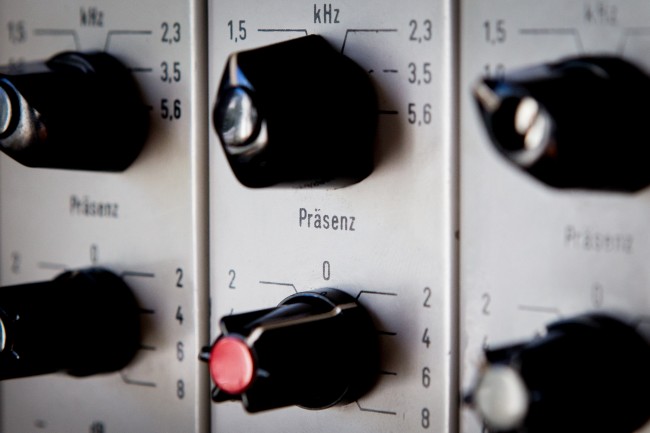
Designed for broadcast in the 60s, the original W295b featured smart frequency choices and beautifully tuned curves. Sie-Q captures this intelligence perfectly, giving you an EQ that simply works – on anything. From vocals and guitars to drums and full mixes, Sie-Q helps you quickly dial in the sweetness, vibe, and clarity your track needs.
Note: Delivered as an ELECTRONIC LICENCE DOWNLOAD – no physical product.
“Using Sie-Q feels like a reunion with an old friend.” — Bob Ohlsson (Motown, The Temptations, Marvin Gaye, Stevie Wonder, The Four Tops)
“It’s awesome. Can’t make it sound bad on vocals. Same on bass drum. It sounds great flat too. It does that un-mud thing.” — Fabrice “Fab” Dupont (Shakira, Jennifer Lopez, Babel Gilberto, Toots and the Maytals)
KEY HIGHLIGHTS
Airy High-End Sweetness:
Get beautifully smooth, open highs that add space and life to vocals, acoustic instruments, and full mixes.
Musical Mid-Range Control:
Fine-tune detail and character with the switched Mid band for easy shaping of presence and clarity.
Rich and Smooth Low-End:
Enhance bass warmth or carve tight low-end space with a naturally musical Low band.
Authentic Analog Saturation:
Push the Drive control to recreate the hardware’s classic colour and add analog-style warmth to any track.
FEATURES
-
Boutique EQ modelled after the classic Siemens W295b
-
Smooth curves and airy highs for natural, musical tone shaping
-
High, Mid, and Low bands inspired by original hardware frequencies
-
Precise analog-style saturation modeling via Drive control
-
Excellent for vocals, guitars, drums, percussion, and full mixes
-
Adds space, sheen, warmth, and clean tonal enhancement
-
Hard to make sound bad — intelligent 1960s broadcast design
-
Works beautifully in the Soundtoys Effect Rack with Decapitator
-
Current Version: 5.5
-
Apple Silicon and VST3 compatible
-
64-bit formats: AAX Native, AAX AudioSuite, VST2, VST3, AU
-
Supported sample rates: 44.1 kHz to 192 kHz
-
macOS 10.15+ / Windows 10+ (not compatible with ARM-based Windows)
-
Internet connection required for activation
-
Supported hosts: Pro Tools, Live, Cubase, Nuendo, Logic, Studio One, Reaper, Bitwig
TECHNICAL SPECS
Current Version: 5.5
Apple Silicon and VST 3 Compatible
Plug-in Formats (64-bit only):
- AAX Native, AAX AudioSuite, VST 2, VST 3, and Audio Units (AU)
Supported Sample Rates:
- Minimum: 44.1 kHz, Maximum: 192 kHz
System Requirements:
- Operating systems: Mac OS X 10.14 or later; Windows 10 or later.
- Not compatible with ARM-based Windows machines.
- An internet connection is required at the time of activation.
Supported Hosts:
- Pro Tools, Live, Cubase, Nuendo, Logic, Studio One, Reaper, Bitwig
- Full list of compatible host applications is listed below.
COMPATIBILITY
Officially Supported Host Applications
All version 5 Soundtoys products come in 64-bit VST, AU and AAX Native plug-in formats. Here is a list of our officially supported host applications.
- Pro Tools: 2020 or higher (Mac & PC: AAX Native and AudioSuite)
- Logic Pro X: 10.7 or higher (Mac: AudioUnits)
- Ableton Live: 11.0 or higher (Mac: AudioUnits, VST2 & VST3; Windows: VST2 & VST3)
- Studio One: 5 or higher (Mac: AudioUnits, VST2 & VST3; Windows: VST2 & VST3)
- Cubase: 12 or higher (Mac & PC: VST3)
- Nuendo: 12 or higher (Mac & PC: VST3)
- Reaper: 7 or higher (Mac: AudioUnits, VST2 & VST3; Windows: VST2 & VST3)
- Bitwig Studio: 5 or higher (Mac & PC: VST2 & VST3)
- FL Studio: 2025.1 or higher (Mac: AudioUnits, VST2 & VST3; Windows: VST2 & VST3)
Officially Supported Operating Systems
- OS X 10.15 or higher*
- Windows 10 or higher*
* Apple Silicon & VST 3 Info:
VST3 support is available for both Windows and macOS, and offers native compatibility with both Apple Silicon (M1/M2/M-series) and Intel processors.
Soundtoys will continue to support both VST3 and VST2 formats for all products for the time being. This update is free for all users with Soundtoys version 5 or later plug-ins.
Log in to your Soundtoys account and download the installers here or on our downloads page.
Known Issues and Notes
- In Digital Performer 11, discrete parameters behave incorrectly for VST3. Soundtoys recommend using VST2 or AU in Digital Performer 11 until the issue can be resolved.
- Some hosts will automatically replace VST2 plug-ins in sessions with matching VST3 versions, depending on the DAW and your DAW preferences. The Soundtoys VST3 versions are fully interchangeable with their VST2 counterparts, but not all hosts implement this feature of VST3.
Note about DAW / Computer Support
Sountoys cannot guarantee support if you are using a supported host platform listed above on an operating system or computer that is not supported by the host platform itself. Please visit your DAW’s website or manual to ensure you are using a compatible system.
If your DAW is not on the list above or if your supported DAW version is older than what’s listed, it doesn’t necessarily mean that our plug-ins won’t work. It just means that it has not been tested. If something goes wrong with an unsupported DAW, you are welcome to write to support, but Soundtoys cannot guarantee a solution. They currently recommend using their free trial with your host to confirm compatibility on your computer.
32-Bit Plug-in Support
With the release of 5.3.2, Soundtoys have officially discontinued support for 32-bit plug-ins. With macOS Catalina requiring all applications to be 64-bit, and with the vast majority of our PC customers using 64-bit plug-ins, they decided it was the right time to end 32-bit support. Their most recent 32-bit installers are available to download below.
Download Soundtoys 5.3.2 for Windows (32-bit)
Download Soundtoys 5.3.1 for Mac (32-bit)
Download Windows 32-Bit Installers for Individual Plug-ins
Hardware Support
Soundtoys 5 is not compatible with ARM-based Windows machines.
Related products

COMPUTER MUSIC


ACCESSORIES

COMPUTER MUSIC


COMPUTER MUSIC

COMPUTER MUSIC

COMPUTER MUSIC

COMPUTER MUSIC