Soundtoys Tremolator – Tremolo & Auto-Gate Plugin (ELECTRONIC LICENCE DOWNLOAD)
$155.00
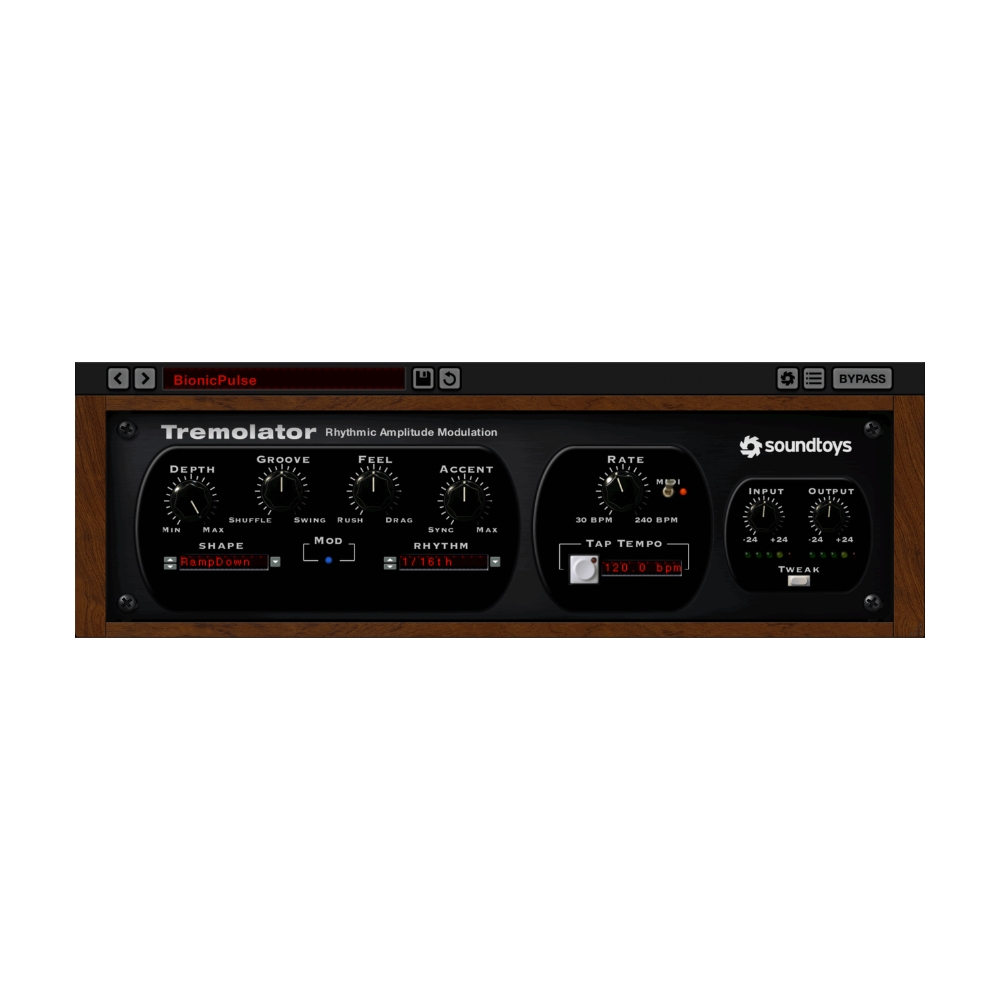
The Soundtoys Tremolator delivers warm, vintage tremolo tones of classic guitar amps and Wurlitzer pianos – plus next-level rhythmic auto-gating, dynamic control, and tempo-synced modulation. With its programmable Rhythm Editor, custom waveshape tools, MIDI sync, and expressive real-time response, Tremolator goes far beyond traditional tremolo, making it equally powerful for guitars, synths, drums, keys, and modern remix production.
Note: Delivered as an ELECTRONIC LICENCE DOWNLOAD – no physical product.
Soundtoys Tremolator – Tremolo & Auto-Gate Plugin (ELECTRONIC LICENCE DOWNLOAD)
OVERVIEW
Tremolator brings the unmistakable movement and warmth of classic analog tremolo into a versatile, modern plugin. Inspired by iconic hardware such as the Fender Vibrolux and the Wurlitzer’s lush built-in tremolo, Tremolator uses Soundtoys’ custom waveshape modelling to recreate the unique shapes and behaviours of vintage units. Add the Analog mode for subtle saturation and authentic hardware feel, and you’ve got a tremolo that nails everything from smooth pulses to rich, musical wobble.
But Tremolator doesn’t stop at emulation – it goes way beyond. With programmable rhythmic patterns, sharp squarewave gating, MIDI tempo sync, swing, shuffle, accents, and a powerful Waveshape Editor, you can transform Tremolator into a high-energy auto-gate or a deeply expressive rhythmic tool. The Dynamics section adds even more musicality, letting your playing or incoming audio control modulation depth and speed in real time. Whether you’re shaping guitar movement, pulsing synths, chopping drums, or creating remix-ready stutter effects, Tremolator offers unmatched creative control.
Note: Delivered as an ELECTRONIC LICENCE DOWNLOAD – no physical product.
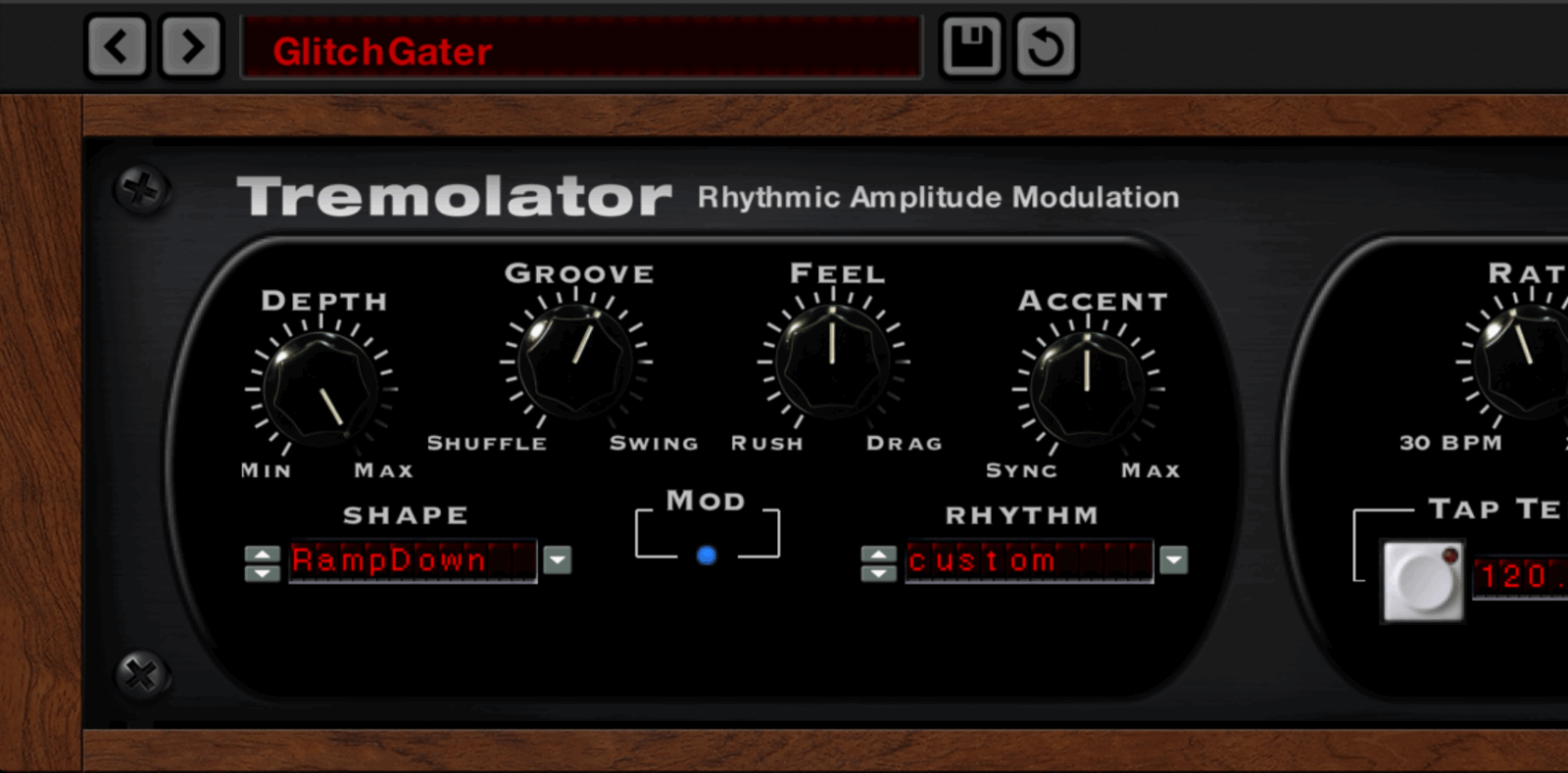
“Tremolator goes way beyond conventional tremolo…this is a plug–in that combines a convincing repertoire of retro sounds… a head–spinning array of additional possibilities. It’s often hard to believe that the mind–bending sound you’re hearing is nothing more than level being turned up and down!” — Sound on Sound
KEY HIGHLIGHTS
Vintage Tremolo Tone with Modern Flexibility:
Recreates classic amp and Wurlitzer tremolo shapes with authentic analog-style movement.
Powerful Rhythmic Auto-Gating Engine:
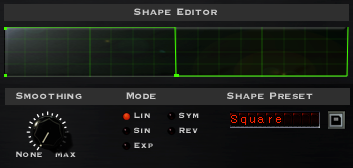
Switch to squarewave or custom patterns to create tempo-locked chopping and remix effects.
Full MIDI Tempo Sync:
Lock tremolo and gating to your DAW’s BPM for perfect rhythmic alignment.
Dynamic Performance Control:
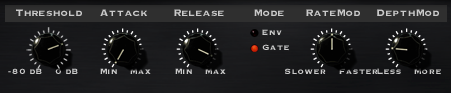
Let your playing intensity control tremolo depth and speed for expressive, musical movement.
Programmable Rhythm Editor:
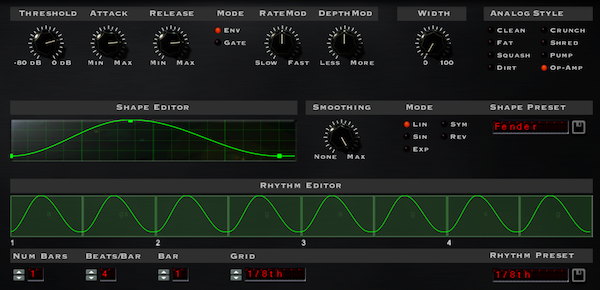
Draw patterns, adjust accents, add swing, and build your own grooves directly inside the plugin.
Custom Waveshape Editing:
Shape tremolo behaviour with precision using Soundtoys’ built-in curve editor.
FEATURES
-
Emulates classic hardware tremolo from vintage amps and the Wurlitzer electric piano
-
Dynamic control of speed and depth responds to playing intensity or incoming signal
-
Full MIDI sync for beat-matched tremolo and auto-gating
-
Rhythm Editor for building custom grooves, patterns, swing, and accents
-
Waveshape Editor for designing or recreating classic and modern LFO shapes
-
Analog mode for subtle saturation and hardware-style colouration
-
Switchable waveforms including smooth curves, sharp squarewaves, and custom shapes
-
Creates tempo-locked auto-gate effects for drums, synths, and remix production
-
Includes expressive Dynamics presets for real-time creative control
-
Compatible with AAX Native, AAX AudioSuite, VST2, VST3, and AU (64-bit)
-
Supports 44.1 kHz to 192 kHz sample rates
-
Apple Silicon and VST3 compatible (v5.5)
-
Requires macOS 10.15+ or Windows 10+ (not compatible with ARM Windows)
-
Activation requires an internet connection
-
Works with Pro Tools, Live, Cubase, Nuendo, Logic, Studio One, Reaper, Bitwig
TECHNICAL SPECS
Current Version: 5.5
Apple Silicon and VST 3 Compatible
Plug-in Formats (64-bit only):
- AAX Native, AAX AudioSuite, VST 2, VST 3, and Audio Units (AU)
Supported Sample Rates:
- Minimum: 44.1 kHz, Maximum: 192 kHz
System Requirements:
- Operating systems: Mac OS X 10.14 or later; Windows 10 or later.
- Not compatible with ARM-based Windows machines.
- An internet connection is required at the time of activation.
Supported Hosts:
- Pro Tools, Live, Cubase, Nuendo, Logic, Studio One, Reaper, Bitwig
- Full list of compatible host applications is listed below.
COMPATIBILITY
Officially Supported Host Applications
All version 5 Soundtoys products come in 64-bit VST, AU and AAX Native plug-in formats. Here is a list of our officially supported host applications.
- Pro Tools: 2020 or higher (Mac & PC: AAX Native and AudioSuite)
- Logic Pro X: 10.7 or higher (Mac: AudioUnits)
- Ableton Live: 11.0 or higher (Mac: AudioUnits, VST2 & VST3; Windows: VST2 & VST3)
- Studio One: 5 or higher (Mac: AudioUnits, VST2 & VST3; Windows: VST2 & VST3)
- Cubase: 12 or higher (Mac & PC: VST3)
- Nuendo: 12 or higher (Mac & PC: VST3)
- Reaper: 7 or higher (Mac: AudioUnits, VST2 & VST3; Windows: VST2 & VST3)
- Bitwig Studio: 5 or higher (Mac & PC: VST2 & VST3)
- FL Studio: 2025.1 or higher (Mac: AudioUnits, VST2 & VST3; Windows: VST2 & VST3)
Officially Supported Operating Systems
- OS X 10.15 or higher*
- Windows 10 or higher*
* Apple Silicon & VST 3 Info:
VST3 support is available for both Windows and macOS, and offers native compatibility with both Apple Silicon (M1/M2/M-series) and Intel processors.
Soundtoys will continue to support both VST3 and VST2 formats for all products for the time being. This update is free for all users with Soundtoys version 5 or later plug-ins.
Log in to your Soundtoys account and download the installers here or on our downloads page.
Known Issues and Notes
- In Digital Performer 11, discrete parameters behave incorrectly for VST3. Soundtoys recommend using VST2 or AU in Digital Performer 11 until the issue can be resolved.
- Some hosts will automatically replace VST2 plug-ins in sessions with matching VST3 versions, depending on the DAW and your DAW preferences. The Soundtoys VST3 versions are fully interchangeable with their VST2 counterparts, but not all hosts implement this feature of VST3.
Note about DAW / Computer Support
Sountoys cannot guarantee support if you are using a supported host platform listed above on an operating system or computer that is not supported by the host platform itself. Please visit your DAW’s website or manual to ensure you are using a compatible system.
If your DAW is not on the list above or if your supported DAW version is older than what’s listed, it doesn’t necessarily mean that our plug-ins won’t work. It just means that it has not been tested. If something goes wrong with an unsupported DAW, you are welcome to write to support, but Soundtoys cannot guarantee a solution. They currently recommend using their free trial with your host to confirm compatibility on your computer.
32-Bit Plug-in Support
With the release of 5.3.2, Soundtoys have officially discontinued support for 32-bit plug-ins. With macOS Catalina requiring all applications to be 64-bit, and with the vast majority of our PC customers using 64-bit plug-ins, they decided it was the right time to end 32-bit support. Their most recent 32-bit installers are available to download below.
Download Soundtoys 5.3.2 for Windows (32-bit)
Download Soundtoys 5.3.1 for Mac (32-bit)
Download Windows 32-Bit Installers for Individual Plug-ins
Hardware Support
Soundtoys 5 is not compatible with ARM-based Windows machines.
Related products

COMPUTER MUSIC


COMPUTER MUSIC

COMPUTER MUSIC

COMPUTER MUSIC

COMPUTER MUSIC

COMPUTER MUSIC

COMPUTER MUSIC

COMPUTER MUSIC